

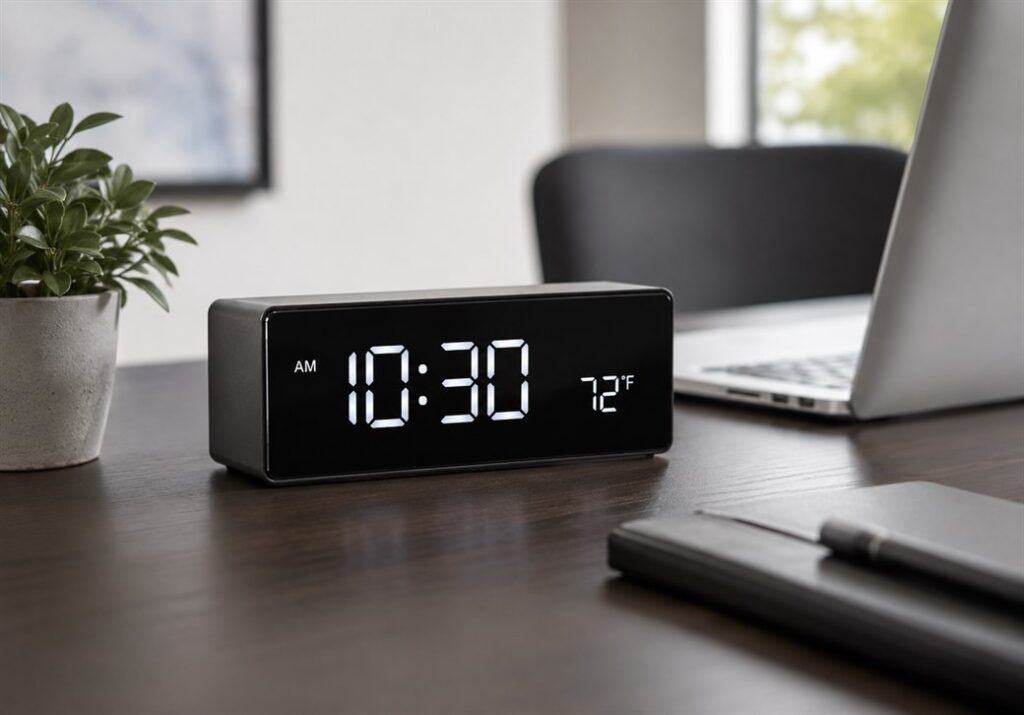
A hidden clock camera is one of the most effective covert surveillance tools available. It sits on a desk or shelf, looks exactly like a standard clock, and records everything in front of it without drawing a single glance.
For South African homeowners and business owners who need discreet monitoring, it is one of the most practical options on the market.
This guide covers how hidden clock cameras work, what to look for before buying, and why they have become a go-to surveillance tool across South Africa.
Table of Contents
What Is a Hidden Clock Camera?
A hidden clock camera is a fully functional desk clock with a concealed camera built into the casing. From the outside it looks identical to any standard clock you would find in a home or office. The camera lens is hidden behind the clock face or housing, typically no larger than a few millimetres.
It records video, and in many cases audio, while displaying the correct time. Nobody in the room has any reason to suspect it is anything other than a clock.
This makes it one of the cleanest covert surveillance solutions available. There is no unusual device to explain. No wires running to a strange box. No blinking lights that draw attention.
Why Choose a Clock Camera Over Other Hidden Cameras?
There are dozens of covert camera options on the market — power banks, USB hubs, button cameras, pen cameras. Each has its place. The clock camera stands out for one reason: it belongs in almost every room naturally.
A clock on a desk or shelf is expected. It raises no questions. This gives it a significant advantage over other disguised cameras that might look slightly out of place depending on the environment.
Other reasons people choose a clock camera:
- Always on a surface with a clear sightline across the room
- Can be powered continuously via mains, removing battery concerns
- Works in home offices, reception areas, living rooms, bedrooms, and boardrooms
- No setup that looks suspicious — you place it like any other clock
How Does a Hidden Clock Camera Work?
Most hidden clock cameras operate in one of two ways.
Standalone SD card recording: The camera records footage directly to a microSD card inserted into the base or side of the clock. You remove the card periodically to review footage on a computer. No internet connection is needed. This is the simpler and more private option.
WiFi streaming: The camera connects to your home or office WiFi network. You view live footage or recorded clips through a mobile app on your phone. Some models send motion-triggered alerts directly to your phone, so you know the moment something happens.
Higher-end models support both modes simultaneously — streaming live while also saving to a local SD card as a backup.
Recording Modes
Most clock cameras offer at least two recording modes:
- Continuous recording — records non-stop from the moment it is powered on, overwriting old footage when the card is full
- Motion-activated recording — only records when movement is detected in front of the lens, saving storage and making review faster
Motion-activated mode is particularly useful when you only need footage of specific events rather than hours of an empty room.
What to Look for When Buying a Hidden Clock Camera
Not all hidden clock cameras are built to the same standard. Here is what matters.
Video Resolution
1080p Full HD is the minimum worth considering. At this resolution you can clearly identify faces, read documents left on a desk, and capture number plates if the camera is positioned near a window or entrance. Some models offer 4K but for most indoor use 1080p is sufficient.
Field of View
A wider lens captures more of the room. Look for 90 degrees as a minimum. Models with 120 to 140 degree wide-angle lenses are better for larger spaces like reception areas or open-plan offices.
Night Vision
If you need footage in low-light conditions, infrared night vision is essential. The IR LEDs are invisible to the human eye, so the camera records in the dark without giving itself away. Check the stated IR range — 5m to 8m covers most indoor spaces adequately.
WiFi vs SD Card Only
WiFi connectivity adds remote monitoring capability but also introduces a dependency on your network. If your primary concern is simplicity and privacy, an SD card-only model is reliable and harder to detect remotely. If you want real-time alerts and the ability to check footage from anywhere, WiFi is worth the trade-off.
Loop Recording
This feature automatically overwrites the oldest footage when the SD card is full. Without it, the camera stops recording once the card fills up. For continuous monitoring, loop recording is a must.
Build Quality and Clock Appearance
The clock must look convincing. Cheap models have visible gaps around the lens, poor finishing, or displays that do not function properly. The best hidden clock cameras are indistinguishable from a genuine desk clock on close inspection.
Power Source
Most clock cameras run on mains power via a USB cable or standard plug. This means they record continuously without needing to recharge. Battery-powered models offer more placement flexibility but require regular charging and have limited continuous recording time.
Where to Place a Hidden Clock Camera
Placement determines how useful the footage is.
Home office or study: Position the clock on the desk facing the door or the room entrance. This captures anyone who enters.
Living room: A clock on a TV unit or bookshelf with a clear view across the room is ideal for monitoring the main living space.
Reception or front desk: A clock camera behind the reception counter faces visitors and captures all interactions at the front of the premises.
Bedroom: Useful for monitoring caregivers, domestic workers, or in situations involving a dispute over access to personal property.
Boardroom or meeting room: A clock on a shelf or credenza captures the full table area without drawing attention.
The key principle is sightline. The camera lens needs a clear, unobstructed view of the area you want to monitor. Position it at desk height or slightly above for the best angle on faces.
Is It Legal to Use a Hidden Clock Camera in South Africa?
Yes, within specific boundaries.
South African law under RICA permits recording in spaces you own or control. This covers your home, your office, or any property you are responsible for. You may not record in areas where people have a reasonable expectation of privacy, such as bathrooms or changing rooms.
For domestic monitoring — watching over a domestic worker, caregiver, or anyone with access to your home — a clock camera in a living area or home office is legally permissible.
For businesses, employees should be informed that surveillance is in use on the premises, even if the specific location of cameras is not disclosed.
If you are uncertain about your specific situation, consult a legal professional before setting up any recording equipment.
The SpyWorld Covert Desktop Clock Camera
SpyWorld stocks a professional-grade covert desktop clock camera designed for South African conditions. It is fully functional as a clock and records 1080p footage with motion detection capability.
Key features:
- 1080p Full HD video recording
- Motion-activated and continuous recording modes
- Loop recording for uninterrupted monitoring
- Infrared night vision for low-light recording
- microSD card storage
- Mains powered for continuous use
- Standard desk clock appearance with no visible camera indicators
It is suitable for home offices, reception areas, living rooms, and boardrooms. Setup takes less than ten minutes.
Setting Up Your Hidden Clock Camera
- Insert a microSD card. Format it in the camera before first use to ensure compatibility.
- Connect to power. Plug the clock into a mains socket via the supplied cable.
- Configure your settings. Use the supplied remote or button controls to set the time, recording mode, and motion sensitivity.
- Test the recording. Record a short clip and review it to confirm the angle, focus, and quality.
- Position the clock. Place it naturally on a desk or shelf with a clear sightline to the area you want to monitor.
- For WiFi models: Download the manufacturer app, follow the pairing steps, and connect to your 2.4GHz network.
Most users are up and recording within fifteen minutes of unboxing.
Frequently Asked Questions
Can a hidden clock camera record without WiFi?
Yes. SD card models record locally with no internet connection required. WiFi is only needed if you want remote viewing or motion alerts on your phone.
How much footage can a hidden clock camera store?
A 32GB microSD card stores roughly 6 to 8 hours of 1080p footage. A 128GB card extends this to around 24 to 30 hours. With loop recording enabled, the camera overwrites old footage automatically.
Will the camera keep recording during a power cut?
Mains-powered cameras stop when power is cut. If uninterrupted recording during power failures is a concern, choose a model with a built-in battery backup, or pair it with a UPS.
Can someone detect a hidden clock camera?
SD card-only models are significantly harder to detect. WiFi models can be picked up by RF detectors when actively streaming. Lens detectors can identify a camera lens at close range if someone is specifically sweeping the room.
How do I know if the quality is good enough to identify faces?
1080p at a distance of 2 to 4 metres is sufficient to identify a person’s face clearly in good lighting. In low light, night vision quality varies between models.
Is it legal to use a hidden clock camera to monitor a domestic worker in South Africa?
Yes, in common areas of your home such as the living room, kitchen, or home office. You may not place cameras in a domestic worker’s private quarters or in bathrooms.
Where can I buy a hidden clock camera in South Africa?
SpyWorld supplies covert clock cameras and a full range of surveillance equipment, with shipping across South Africa.
Key Takeaways
- A hidden clock camera is one of the most natural-looking covert surveillance devices available because a clock belongs in almost any room without question.
- Look for 1080p resolution, motion detection, loop recording, and night vision as minimum features.
- Mains-powered models offer continuous recording without battery management.
- South African law permits use in spaces you own or control, outside of areas where privacy is reasonably expected.
- SD card models are harder to detect than WiFi streaming models.
- Setup takes under fifteen minutes for most models.
Some Products to view: